Worked guide / subtitle delivery studio
Shift SRT or WebVTT timing without hiding subtitle overlaps
A timing offset moves every cue, but does not repair an existing overlap. Check a short example before delivering the file.
By Value Addition · 15 October 2026 · AI-assisted original guide
What an offset changes
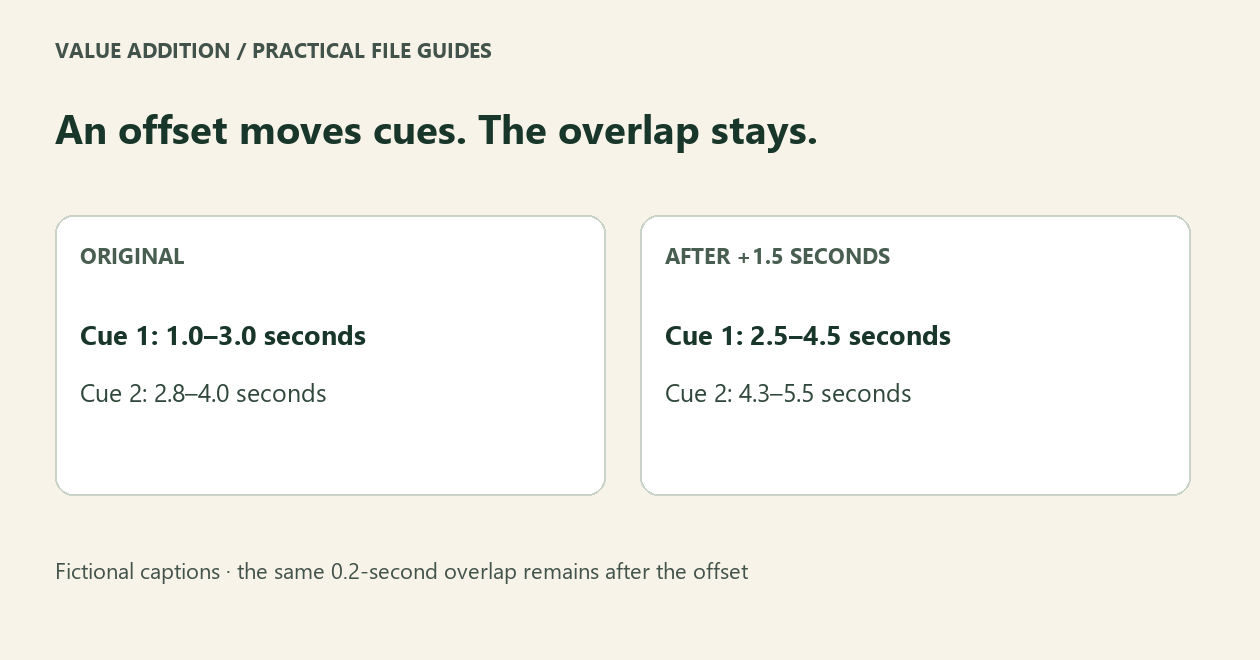
Adding the same timing offset to every cue moves their start and end times equally. It preserves their durations and their spacing relative to one another. An existing overlap remains an overlap.
A fictional two-cue example
Cue 1 runs from 1.0 to 3.0 seconds. Cue 2 runs from 2.8 to 4.0 seconds. They overlap by 0.2 seconds. After a +1.5-second offset, cue 1 runs from 2.5 to 4.5 seconds and cue 2 from 4.3 to 5.5 seconds. The overlap is still 0.2 seconds. Fix timing against the actual video when an overlap is unwanted.
Try the free sample
Open Subtitle Delivery Studio and choose Try the fictional sample. It loads three SRT cues and deliberately reports one overlap advisory. Change Offset in seconds, inspect the result, then export a new caption file and the check report. The original captions stay unchanged.
Check before converting
The free starter accepts one UTF-8 SRT or basic WebVTT file, up to one hundred cues and 1 MiB. Choose the output format and your delivery rules. A negative resulting time blocks export rather than being silently clamped to zero. Exporting supported WebVTT cue position/settings to SRT requires an explicit choice to drop them.
Supported text is deliberately narrow
WebVTT supports more than this tool handles. This edition accepts plain captions and rejects markup, STYLE/REGION blocks and extended headers. NOTE comments are explicitly skipped with a notice. If those features matter, use a fuller caption editor. The W3C format specification is linked below.
Review the video, not only the report
Overlap, line length and characters-per-second checks are advisories. They cannot prove wording, language, audio synchronization or platform compliance. Watch the exported captions with the video. A clean syntax check cannot replace that review.
When a paid batch is useful
Keep using the free edition for a supported single-file task. Free alternatives include Subtitle Edit and online subtitle editors. The optional $5 USD offline edition adds up to one hundred files, ten thousand cues per file, saved profiles and a ZIP with captions and reports. It does not transcribe, translate, preview video or burn captions in. AI-assisted original software and guide by Value Addition. Support: shruti4thewin@gmail.com.
Source: W3C WebVTT specification
Try your supported task first
The free starter is useful on its own. The optional offline batch edition is $5 USD, one time. Check its limits before buying.