Worked guide / supplier price checker
Compare supplier price lists by SKU: check the pack size first
A lower pack price can still mean a higher unit cost. Follow one fictional CSV example, then try the free checker.
By Value Addition · 15 October 2026 · AI-assisted original guide
The comparison to make
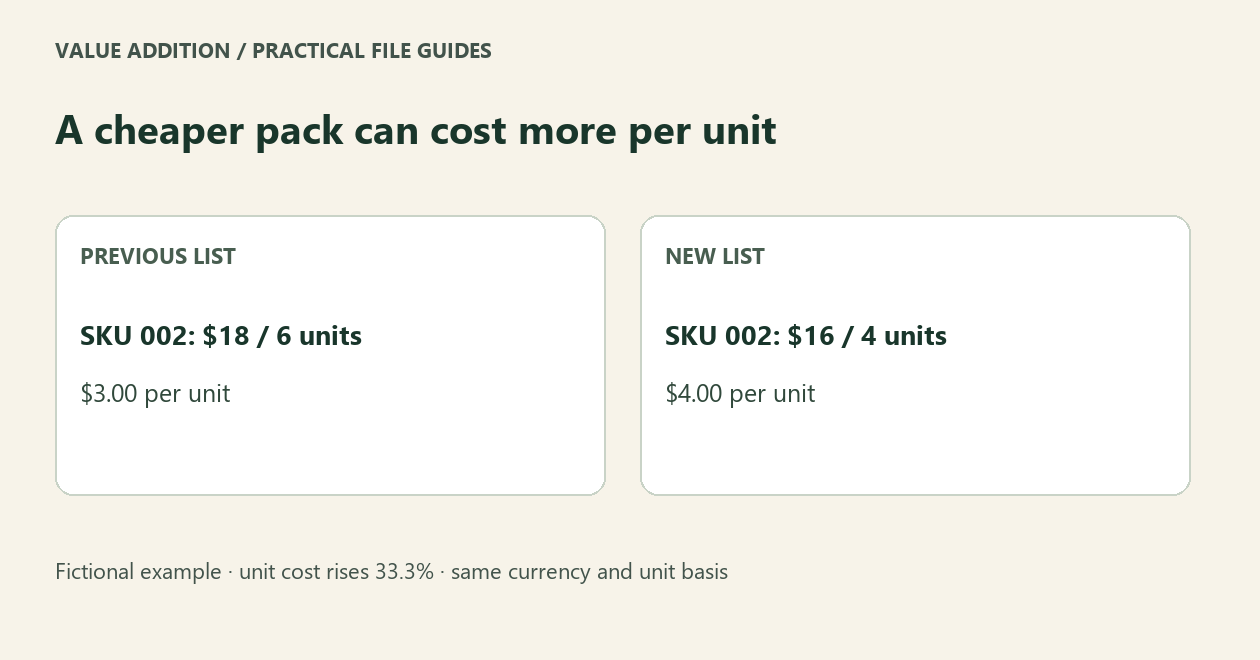
Match the same SKU, then divide each pack price by the number of identical units in that pack. Comparing the two pack prices alone can hide a higher cost per unit.
A fictional example
SKU 002 used to cost $18 for 6 units: $3 per unit. The new pack costs $16 for 4 units: $4 per unit. The pack price fell by $2, but the unit price rose by one third, about 33.3%. These are example figures, not a supplier quote or a customer result.
Try the report before using your own files
Open the free Supplier Price-Change Checker and choose Try fictional example. Find SKU 002. The report marks both Increased and Pack changed. It also shows a duplicated SKU as Blocked, rather than choosing a record silently.
Prepare two CSV exports
Keep SKU values as text so leading zeros survive. Use columns for SKU, pack price and pack count; a currency column is optional when one shared currency applies. Export UTF-8 CSV or TSV. Select the delimiter and decimal convention, read the columns, then map the old and new lists separately. If there is no pack-count column, each price is treated as one unit.
Check the exceptions before changing an order
Use the same currency, tax basis, product specification and unit definition. A box of mixed items is not a pack of identical units. Resolve duplicate or invalid records first. Download the changes and exceptions CSVs and review them; this tool does not edit your source files or update a purchasing system.
When to keep the free edition
One supplier pair with up to 500 rows per file is free, including both CSV reports. A spreadsheet join and a unit-price formula may already cover your task. The optional $7 USD offline edition adds reusable supplier rules, up to 10,000 rows per input and batches of ten pairs. Buy only if those repeat-workflow features matter to you.
Privacy and limits
The checker processes files in the browser. Page requests reach the website host; checkout uses Payhip. There is no XLSX/PDF import, currency conversion, tax advice or fuzzy matching. The on-screen preview is limited; use the CSV for the complete report. Original AI-assisted software and guide by Value Addition. Product support: shruti4thewin@gmail.com.
Try your supported task first
The free starter is useful on its own. The optional offline batch edition is $7 USD, one time. Check its limits before buying.